Circumventing Prosecution Bars in Patent Infringement – Case Study
CUSTOMER: Software company
S2|DATA’S ROLE: Leverage years of expert forensic experience to defensibly, recover, present and produce vital, responsive information from archived documents
A large software company (Company A) acquired another company (Company B) in the summer of 2006, integrating the acquired Company B’s technology and personnel into the parent Company A.
In 2021, a third unrelated company (Company C) claimed that Company B previously infringed on a patent now used throughout Company A/B’s software.
Company C hired a software expert who is an active developer and occasionally files new patents of his own. Company C sought a court order in the patent infringement case that would force Company A to make its software source code available for inspection by the expert.
The Challenge
The expert, one of the few in the software field who could assist Company C with its case, refused to accept Company A’s proposed prosecution bar. A patent prosecution bar is a protective order that eliminates a person’s ability to use information disclosed in the lawsuit for any other purpose or patent. Because Company C’s expert was unwilling to accept the risk of a prosecution bar, discovery hit a roadblock, and six months of negotiations ensued.
Greg Freemyer, Director of Forensics and Disputes at S2|DATA, represented Company A, which agreed that the only way it would abandon the prosecution bar was if the court limited the expert’s inspection to the software versions in place on and before the 2006 transaction date. The next challenge: the most relevant backup didn’t happen until 2012, six years after the merger.
The Solution
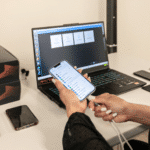
Because software source code is routinely maintained in a version control system (VCS), Freemyer could take the 2012 backup and roll it back to the transaction date. So he wiped a dedicated laptop down to its bones, installed the merged Company A/B’s document management system, and restored it to the merger date. This modified backup created an environment for the legal expert to look at the software’s source code to see how it evolved. In particular, the VCS allowed the opposing side’s expert to see all revisions of the 2006 version of the software going back numerous years. Further, the VCS allowed the opposing side’s expert to do comparisons between versions at different points in time.
The most critical element in restoring this 2012 backup was for S2|DATA to ensure the user — in this case, the legal expert — would not have the ability to see past the 2006 versions of the file, but retained the ability to see all versions prior to the merger date. By protecting the data beyond 2006, the expert could review the data without risk of becoming subject to a prosecution bar, satisfying the agreed-upon requirements of all parties.
The Results
Company A signed a statement saying that if the expert exclusively accessed documents on the laptop S2|DATA prepared, there would be no prosecution bar pursued by the defendants. S2|DATA’s electronic forensics expertise allowed the defendant to command its data in this patent infringement case.
When defending or prosecuting a patent infringement case, you will almost certainly be working with legacy data. S2|DATA has a wealth of potentially relevant offerings under our “Command Your Legacy” services. Utilizing S2|DATA’s forensic expertise, coupled with bespoke technologies, like the metadata review portal Invenire, S2|DATA provides end to end defensible solutions in the EDRM information lifecycle.
When you need to make your company’s older, or legacy, data available for use in a lawsuit — regardless of whether your company is the plaintiff or the defendant — you need to get out of your data precisely what you need to get out of it. Beyond patent infringement cases, this is true across all types
About S2|DATA
Discover more about S2|DATA’s suite of related services here.